Mini CPQ · configure, price, quote · self-hosted, one tag

Your product in 3D, configurable, in an afternoon.

Load your own GLB, click parts, options, dimensions and rules together in the Studio, embed one tag. Visitors pick colors and textures, set sizes and quantities, see the price with volume discounts, download a quotation PDF and request a quote with a screenshot and bill of materials. No SaaS, no license server, nothing phones home.

Unlimited projects · 12 months of updates · Three.js under the hood · by Steil Digital

Live demo: the real Pro bundle with the sample product. Try the seat width, a chalk frame, six pieces, the delivery service and "Download quote (PDF)".
Sample product: 15 meshes, 3 parts, generated textures. Prices and rules are examples; the quote form posts to a dummy endpoint.

Everything above is one product.json, one GLB (from Blender, or a STEP that the Studio converts) and three textures. The page only contains <mini-configurator src="sample/product.json">. Colors, corners and fonts follow your site through CSS variables; here they follow the Steil style.

The Studio

No code between your GLB and a working configurator.

The Studio runs in your browser, keeps everything local and exports the folder you drop next to your page.
Try the Studio demo ↗

1

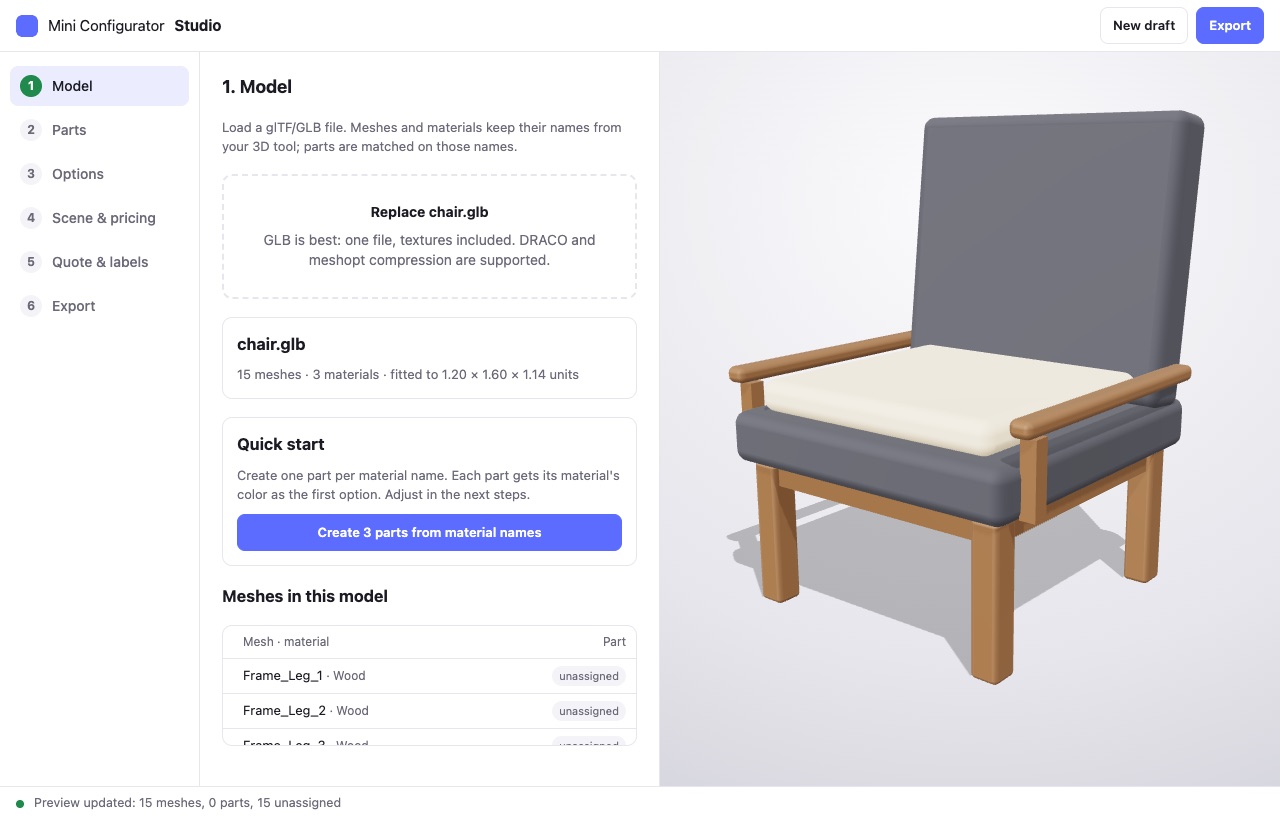
Drop your GLB

Meshes and materials show up with their names. One click creates a part per material, with the material's color as first option.
2

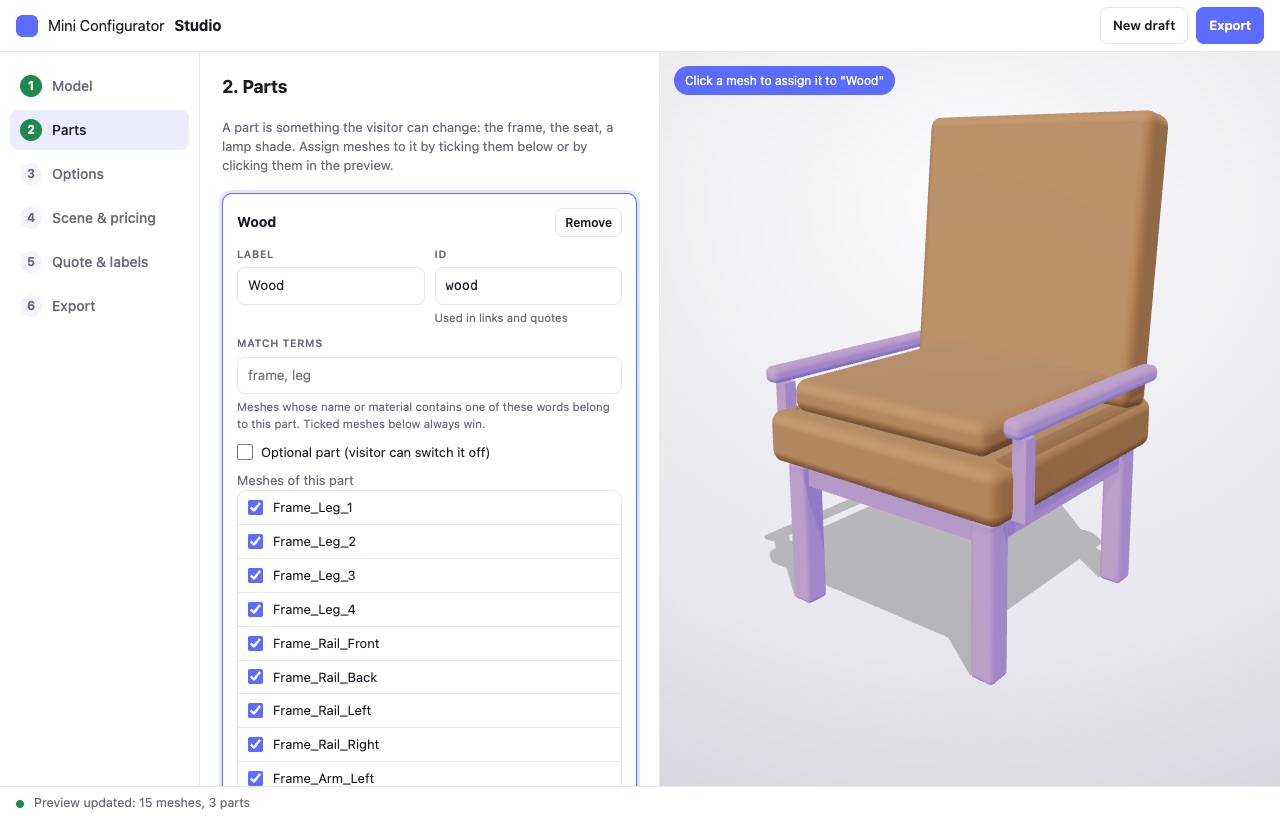
Click parts together

Select a part, click meshes in the preview to assign them. Optional parts get a switch and a price. Match terms handle re-exports.
3

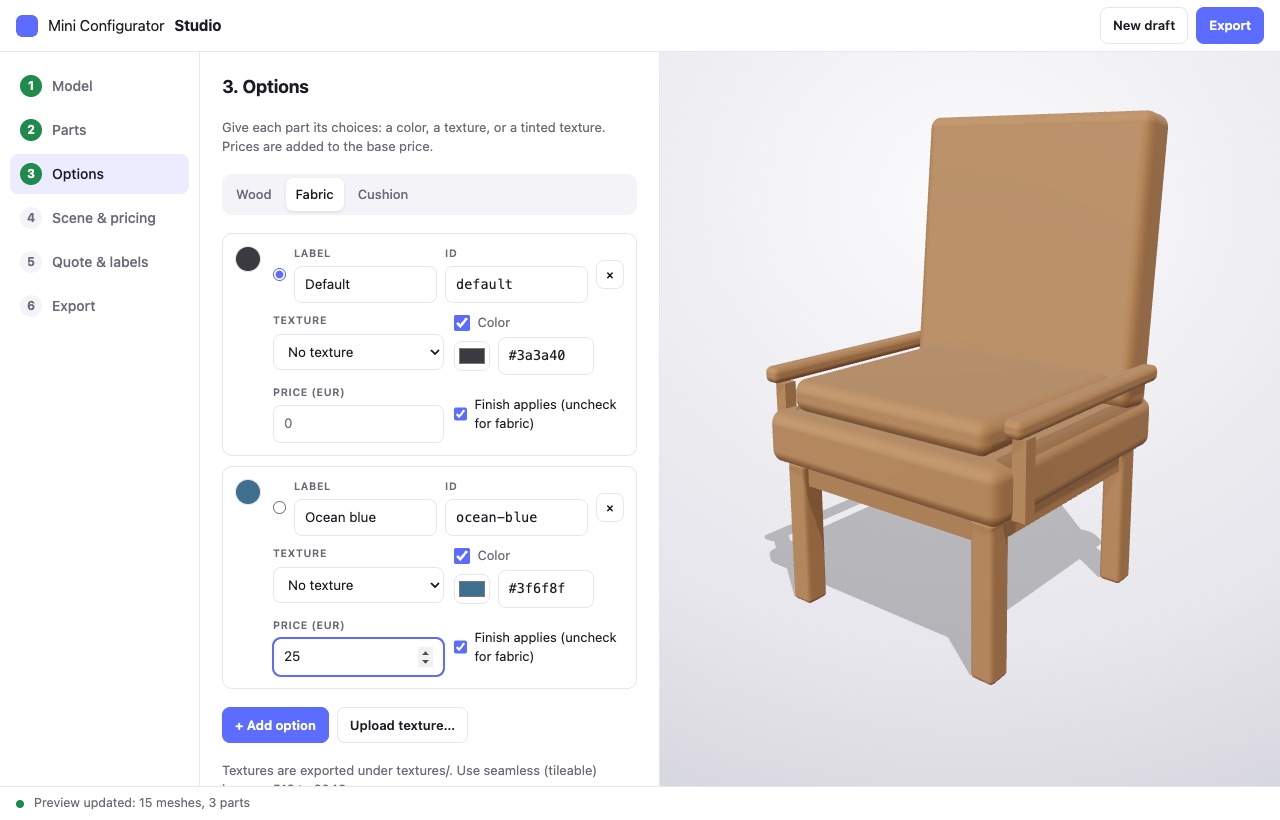
Options, rules, prices, export

Colors, uploaded textures, prices, article numbers, dimensions with a price per unit, quantity discounts, rules between options, quotation PDF. Export a zip with product.json, model, textures and an embed snippet.

What you get

A mini CPQ: everything a product page needs. Nothing it doesn't.

Your own model, also from CAD

GLB with DRACO or meshopt compression on the site. The Studio also imports STEP, IGES, OBJ, STL, FBX, DAE, 3MF and PLY and converts them to GLB. Parts match on mesh, solid or material names.

Colors & textures

Flat colors, textures, or tinted textures per option. Normal and roughness maps, tiling, rotation.

Rules, finishes & optional parts

Rules make options unavailable, switch parts off, set an option, add a surcharge or show a note. Matte, satin, gloss or your own presets. On/off switches for cushions, armrests, accessories.

Price, dimensions, quantities

Base price plus options, a price per centimetre above a base size, volume discount tiers, surcharges from rules. Formatted for any locale and currency, or hidden entirely.

Quotes, PDF, bill of materials

A quotation PDF made in the browser: your logo, quote number, screenshot, every line with SKU and price. The quote form posts JSON with configuration, BOM, screenshot and PDF to any endpoint. PHP and Node endpoints included.

Share links & images

Every configuration is a short URL. Visitors download a PNG of what they built.

Themeable panel

CSS variables for colors, radius, font, width. Light, dark and auto. All texts translatable in JSON.

Any stack

Web component for plain HTML, WordPress or Webflow. React and Vue wrappers. Angular, Svelte, Astro via the tag. Core API for your own UI.

Embed

Two lines. That's the integration.

Copy mini-configurator.js and the exported product folder next to your page. The element sizes itself to its box, works on touch, and needs no build step. With a bundler, install the packages and keep one copy of Three.js.

  • Self-contained bundle: about 200 kB gzipped, Three.js included
  • npm packages with types for Vite, Next.js, Nuxt, Astro
  • Events for every change, quote and error; full API on the element
  • No accounts, no external requests, no tracking
<!-- anywhere in your page -->
<script type="module" src="mini-configurator.js"></script>

<mini-configurator
  src="chair/product.json"
  share theme="auto"
  style="height: 80vh">
</mini-configurator>

// React
<ProductConfigurator product="/chair/product.json" share
  onChange={(state, summary) => ...} />
Pricing

One payment. Unlimited projects.

Source code included. A domain-bound license key checked in the browser, no license server, no per-site limits. Buy once, or subscribe per month and cancel any time.

Team

Up to five developers

€249,00 €149,00one-time, excl. VAT
Launch price until 5 October
  • Everything in Solo
  • For agencies and product teams
  • One license for the whole team
  • 12 months of updates
  • Priority e-mail support

or €19,00 per month, cancel any time

Buy Team for €149,00

VAT is added at checkout where applicable; EU businesses with a VAT ID pay reverse charged. Payment via Mollie (iDEAL, cards, PayPal), instant download and invoice. Questions before you buy, more seats or OEM terms? Mail info@steildigital.nl. License · Terms

FAQ

Questions, answered.

Which model formats work?

On the site: glTF 2.0 and GLB, with or without DRACO or meshopt compression. In the Studio: also STEP, IGES and BREP straight from SolidWorks, Inventor, Fusion, Onshape or FreeCAD (tessellated in your browser with OpenCascade), plus OBJ with MTL, STL, FBX, Collada, 3MF and PLY. The Studio converts everything to one GLB.

Does it work with WordPress, Webflow, Shopify?

Anywhere you can add an HTML block and upload files. Upload the bundle and the product folder, paste the two lines. No plugin required.

Where do quote requests go?

To any URL you set: the included PHP script (mails you the request with the screenshot attached), the Node endpoint, a form service such as Formspree, or your own backend. The payload is plain JSON.

Is there a license check or telemetry?

Your key is verified in the browser with a public key; nothing is sent anywhere, ever. It is bound to the domains you list on your order page (unlimited, wildcards allowed). Without a valid key everything keeps working and the panel shows a small Unlicensed badge. Not on localhost.

Can I build my own UI?

Yes. The core package is the engine without a panel: load, configure, price, screenshot, quote. The web component is one UI on top of it.

What about AR, animations, USDZ?

Not yet. The roadmap follows what buyers ask for; updates within 12 months are included.

Is this CPQ software?

A mini CPQ: configure, price and quote for made-to-order products, without a backend. Not an enterprise CPQ (no CRM or ERP integration, approval flows or catalogue of hundreds of products), but for one product line it covers the whole flow: dimensions with a price per unit that scale the model, quantity discount tiers, rules between options, article numbers with a bill of materials, services and surcharges, VAT, a configurable quote form and a quotation PDF with your logo, terms and number format. All in one product.json, no server. See the Studio steps Rules & pricing and Quote & labels.

Can I try it before buying?

Yes. The Studio above is the real one: drop your own GLB, build parts, rules and prices, see the live preview. Only the export needs a license key.